

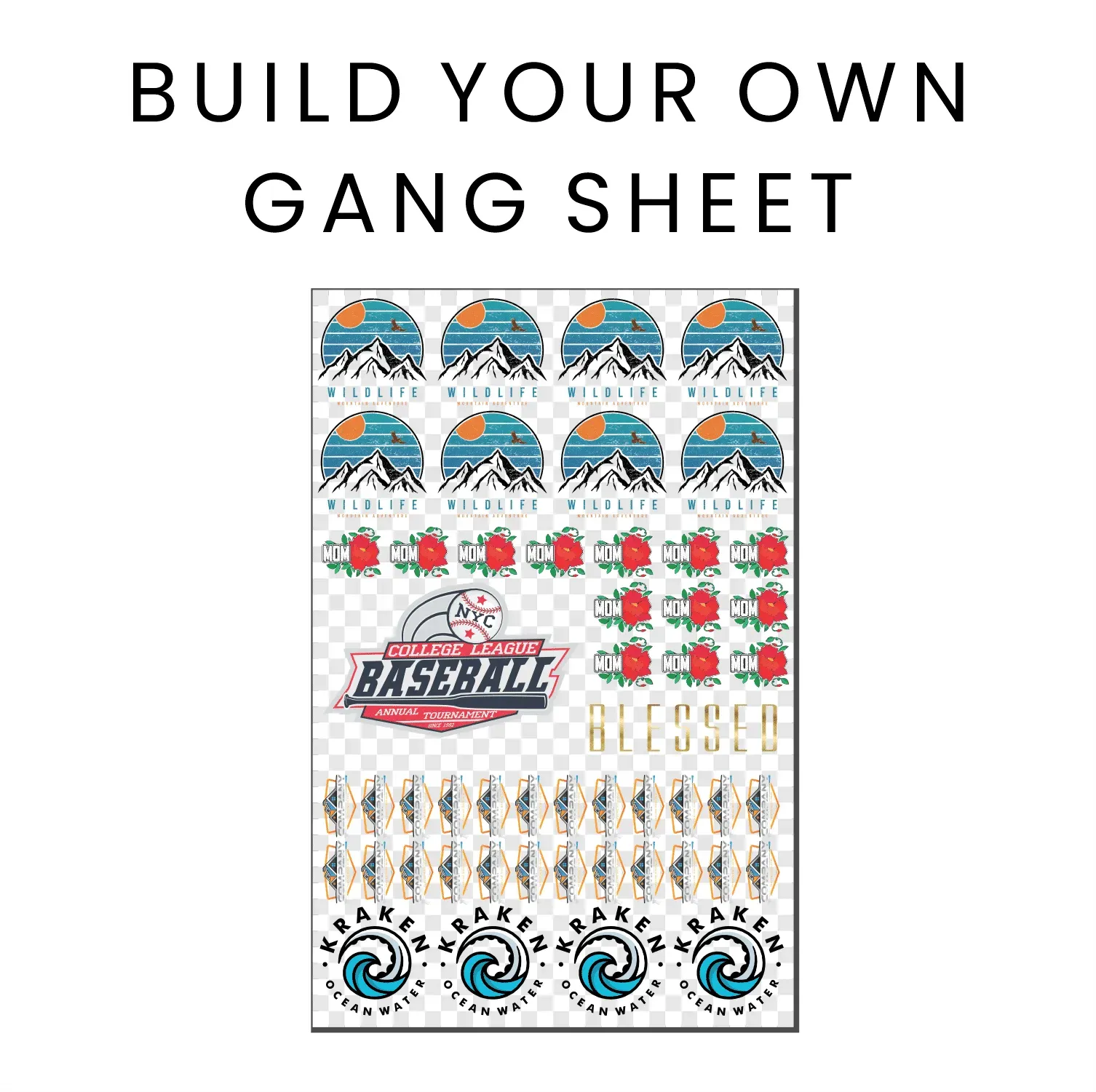
The DTF Gangsheet Builder is revolutionizing the printing landscape by providing designers with a powerful tool to create stunning designs efficiently. This innovative platform streamlines the gangsheet printing process, making it easier than ever to transfer intricate graphics through DTF (Direct to Film) printing. Whether you’re a seasoned professional or a passionate hobbyist, the DTF Gangsheet Builder equips you with essential design tools to maximize your creativity. With its user-friendly interface, you can optimize your heat transfer printing projects while saving time and materials. Join the ranks of designers transforming their workflow with the DTF Gangsheet Builder, where quality meets efficiency.
In the realm of fabric decoration, the innovative tool known as the gangsheet builder is changing the game for artists and creators alike. This platform facilitates an efficient method of DTF transfer, allowing multiple prints to be organized on a single sheet for an efficient output. By utilizing advanced design software, individuals can conjure vibrant graphics that seamlessly adhere to fabric, embodying the essence of heat transfer techniques. With alternative design methodologies emerging, the possibilities for unique fabric applications and stunning visuals are truly limitless. Embrace this new era of printmaking with the gangsheet builder, where creativity and practicality converge.
Understanding DTF Printing Technology
DTF printing (Direct to Film) technology has revolutionized the textile printing industry by introducing a method that allows for vibrant and durable designs to be transferred directly onto various fabrics. This innovative approach employs a specialized film that is printed with high-quality inks, ensuring that colors remain vivid and long-lasting. Unlike traditional methods where designs can fade over time or require specialized handling, DTF prints are known for their resilience and versatility, making them ideal for a wide range of materials, from cotton to polyester.
One of the standout features of DTF printing is its ability to produce intricate designs that are nearly impossible to achieve with conventional techniques. This technology not only enhances the creativity of designs but also streamlines the production process. By utilizing the DTF Gangsheet Builder, users can maximize their printing potential, arranging multiple prints efficiently on a single sheet. This not only reduces material waste but also empowers creators to experiment with designs in a more cost-effective manner.
The Role of DTF Gangsheet Builder in Design Creation
The DTF Gangsheet Builder is an essential tool for anyone serious about producing high-quality prints in a cost-effective manner. This innovative platform allows designers to efficiently compile multiple images into a single print job, significantly saving on materials and time. Importantly, the Gangsheet Builder ensures that your designs maintain their quality, facilitating the creation of stunning designs that are ready to be transferred onto fabrics. By allowing seamless organization and customization of your design layouts, the tool eliminates the traditional hassles of managing multiple prints.
When using the DTF Gangsheet Builder, designers can freely manipulate their images within the workspace, adjusting sizes and arrangements to suit their specific needs. This flexibility is crucial not only for maximizing the usability of materials but also for ensuring that the final prints capture the desired aesthetic. With the right design tools, compatibility for various fabrics, and user-friendly options, the builder significantly enhances the capabilities of print creators looking to innovate their designs.
Getting Started with the DTF Gangsheet Builder
Getting started with the DTF Gangsheet Builder can be an exciting journey for both novice and seasoned designers. Begin by preparing your initial artwork using preferred graphic design software such as Adobe Illustrator or CorelDRAW. It’s vital to create your artwork at a high resolution, ideally at 300 DPI, to ensure that your printed transfers boast stunning clarity and detail. After preparing your design files, importing them into the Gangsheet Builder is the next step, where the user-friendly interface makes the process intuitive and straightforward.
In the Gangsheet Builder, you have the freedom to arrange your designs, tweak dimensions, and set spacing according to the specifications of your chosen fabric. One key advantage of this tool is its capability to optimize the arrangement of prints for the least waste and the best results, ensuring that each print comes out looking professional. By understanding how to maneuver within the builder effectively, you will find it easier to produce designs that not only meet but exceed your artistic expectations.
Maximizing Production Efficiency with DTF Printing
Efficiency is paramount in the world of printing, and the DTF Gangsheet Builder facilitates this with remarkable ease. By allowing users to print multiple designs at once on a single sheet, production runs become faster and more cost-effective. This setup minimizes the downtime typically associated with changing materials and configurations, letting designers focus more on creativity rather than logistics. Additionally, this approach greatly reduces the amount of ink and film needed, making it an eco-friendlier choice compared to traditional methods.
Moreover, with continuous advancements in DTF printing technology, optimizing your workflow has never been easier. The Gangsheet Builder’s intuitive design and real-time adjustments enable quick experimentation with layouts and designs, ensuring you can meet tight deadlines without sacrificing quality. By leveraging these capabilities, businesses can enhance their output quality while also increasing their competitiveness in the market.
Recent Innovations in DTF Printing
The DTF printing landscape is witnessing rapid advancements, with ongoing innovations being integrated into tools like the DTF Gangsheet Builder. Recent updates have introduced enhanced user interfaces, allowing for smoother navigation and greater design control. Additionally, many tools now incorporate AI-driven features that suggest optimal layouts and enhance color selections, making the design process more intuitive and efficient. These enhancements not only improve user experience but also empower creators to push the boundaries of their design potential.
Furthermore, innovations in printing technology have led to improved inks and materials that yield even more vibrant and durable prints. As the availability of user-friendly tutorials and resources increases, designers can now hone their skills faster and stay updated with the latest trends. The future of DTF printing seems bright, with an increasing emphasis on combining creativity with cutting-edge technology, ensuring that designers can produce work that stands out.
Resources for Learning DTF Techniques
To maximize your potential with the DTF Gangsheet Builder, harnessing the vast array of online resources can be immensely beneficial. Websites like YouTube are treasure troves of video tutorials that provide step-by-step guidance on different aspects of DTF printing—from initial design creation to final transfer techniques. Engaging with these multimedia resources can bolster your understanding of the software and enhance your practical skills, equipping you to produce stunning designs.
Joining design forums and communities can also provide valuable insights and support. Platforms like Reddit and dedicated design sites often have discussion boards where enthusiasts share experiences, tips, and feedback, creating a collaborative environment that fosters learning. Coupling these peer insights with professional advice from resources like Printful and Pro World will not only expand your knowledge but also connect you with others passionate about DTF printing. This collective knowledge is invaluable in navigating challenges and refining your craft.
Frequently Asked Questions
What is the DTF Gangsheet Builder and how does it enhance DTF printing?
The DTF Gangsheet Builder is a tool designed to streamline the process of DTF (Direct to Film) printing by allowing users to arrange multiple designs on a single sheet. This not only saves materials but also enhances production efficiency, making it easier to create stunning designs for various applications.
How can I create stunning designs using the DTF Gangsheet Builder?
To create stunning designs with the DTF Gangsheet Builder, start by designing your artwork in high resolution using graphic design software. Import your designs into the Gangsheet Builder, arrange them efficiently on the sheet, and adjust printer settings for optimal results. Finally, transfer the printed films to fabric using a heat press.
What are the benefits of gangsheet printing with the DTF Gangsheet Builder?
Gangsheet printing with the DTF Gangsheet Builder offers several benefits including cost-effectiveness by minimizing waste, time-saving through simplified procedures, and versatility across various fabric types. This makes it an ideal choice for bulk printing projects.
Do I need special software to use the DTF Gangsheet Builder?
While the DTF Gangsheet Builder itself does not require special software, it is advisable to use graphic design programs like Adobe Illustrator or CorelDRAW to prepare your artwork effectively before importing it into the Builder.
How does the DTF Gangsheet Builder improve efficiency in design production?
The DTF Gangsheet Builder improves efficiency by allowing users to arrange multiple designs on a single sheet, reducing the number of print jobs needed. Its user-friendly interface and recent AI-driven features aid in creating professional layouts quickly and easily.
What materials can I print on using DTF printing with the Gangsheet Builder?
DTF printing with the Gangsheet Builder is effective on a wide range of materials including cotton, polyester, and their blends. This versatility enables users to create stunning designs for various items like t-shirts, bags, and other fabric products.
| Step | Description |
|---|---|
| 1. Design Creation | Prepare high-resolution artwork, ideally 300 DPI, using graphic design software. |
| 2. Importing Designs | Import designs to the DTF Gangsheet Builder using drag and drop for proper sizing and positioning. |
| 3. Arrangement | Efficiently arrange multiple designs on one gang sheet, maximizing layout within printable areas. |
| 4. Printing Setup | Configure printer settings, ensuring compatibility with DTF printing and appropriate materials. |
| 5. Print and Transfer | Print the gang sheet and apply the DTF transfer film to fabric using a heat press. |
Summary
The DTF Gangsheet Builder is an innovative and essential tool for artists and designers looking to create stunning designs with ease. By simplifying the process of printing through efficient arrangement and management of multiple designs, this tool not only enhances the quality of your output but also reduces costs associated with material usage. As DTF printing technology advances, utilizing the DTF Gangsheet Builder will allow creators to push the boundaries of design, catering to various fabric types and applications, from unique apparel to custom fabric prints. Embracing this revolutionary approach can greatly improve production efficiency and unlock countless creative possibilities.