

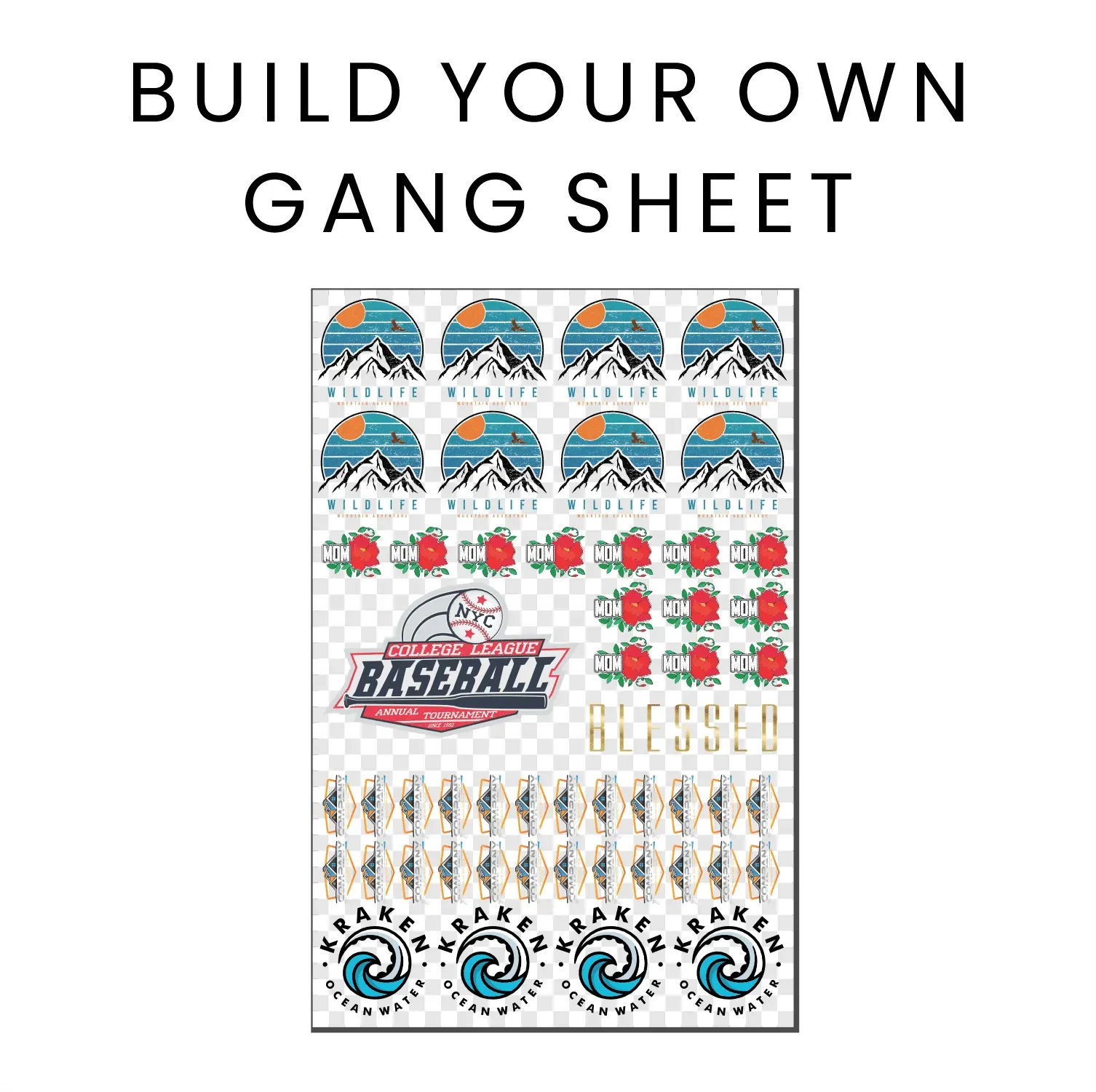
In today’s ever-evolving landscape of digital printing, mastering custom apparel production has become remarkably straightforward. At the forefront of this transformation is the **DTF Gangsheet Builder**, a revolutionary tool designed for Direct to Film printing enthusiasts. This innovative software simplifies the process of creating vibrant, high-quality prints that can be seamlessly transferred onto fabrics. Whether you’re venturing into custom apparel for the first time or looking to enhance your existing workflow, utilizing the DTF Gangsheet Builder can significantly elevate your print design capabilities. This comprehensive guide will walk you through the essential features and functionalities of the DTF Gangsheet Builder, along with helpful tips and tutorials to kickstart your journey into professional-grade DTF printing.
Exploring the world of custom apparel production has been made significantly easier with tools like the DTF Gangsheet Builder. This software for DTF printing empowers users to produce stunning designs that stand out on any fabric surface. By harnessing the capabilities of Direct to Film technology, users can create and optimize complex print layouts with ease. The seamless integration of various design elements and a straightforward user interface makes it an invaluable asset for both newcomers and experienced printers alike. Prepare to dive into an enriching tutorial that not only enhances your technical skills but also transforms the way you approach your print design projects.
Understanding DTF Printing and Its Benefits
Direct to Film (DTF) printing is revolutionizing the custom apparel industry by providing an efficient solution for vibrant and durable prints. This method involves printing designs onto a special film, which can subsequently be transferred onto various garments using heat. Importantly, DTF printing allows for intricate designs and vibrant colors, making it a favorite among designers and business owners. The ability to customize apparel on-demand not only expands creative possibilities but also enhances customer satisfaction.
Furthermore, DTF printing is cost-effective and environmentally friendly, allowing businesses to minimize waste. Unlike traditional methods, which often require expensive setups and large minimum orders, DTF printing can cater to smaller batches, encouraging entrepreneurs and hobbyists to experiment with their designs. This accessibility makes DTF printing a powerful tool for anyone looking to enter the custom apparel market.
Features of the DTF Gangsheet Builder
The DTF Gangsheet Builder stands out as an essential software for anyone serious about optimizing their DTF printing process. One of its most impressive features is its user-friendly interface, which simplifies the design process for both novices and seasoned professionals. The drag-and-drop functionality makes it effortless to import images and arrange them creatively on the workspace. Additionally, the software accommodates multiple file formats, ensuring versatility in design choices.
Another important feature is the customizable sheet layout, which allows users to consolidate multiple designs onto a single sheet. This not only maximizes material use but also minimizes waste, crucial for those aiming for efficiency in their workflows. Coupled with advanced color management tools, users can rest assured that their final prints will reflect the intended vibrancy and accuracy seen on screen.
Step-By-Step Guide to Using DTF Gangsheet Builder
Getting started with the DTF Gangsheet Builder is straightforward, beginning with a simple installation process. Users should visit the official website to download the software, ensuring they follow the installation instructions diligently. Once installed, launching the program reveals an intuitive layout that prompts users to create new projects. Inputting project specifications such as sheet size and orientation is the first step toward bringing your designs to life.
Following the initial setup, importing designs is seamless thanks to the tool’s optimized functions. With drag-and-drop convenience, users can easily bring their artwork into the workspace. Arranging designs on the sheet becomes effortless thanks to grid options, allowing for clean alignments. This meticulous arrangement plays a vital role in effective material usage, helping to sustain cost-effective production.
Maximizing Efficiency with DTF Gangsheet Builder
To truly leverage the capabilities of the DTF Gangsheet Builder, users should focus on maximizing workflow efficiency. Taking advantage of the software’s preview feature before printing is a pivotal step in the process. This function enables users to visualize the final output, reducing errors and the potential for unwanted waste. Adjusting color settings beforehand ensures that printed results are true to digital designs, promoting a better end product.
Additionally, regular updates to the software come with improved functionalities and printer compatibility, ensuring users are equipped with the latest tools. Engaging with communities and forums focused on DTF printing can also provide tips and tricks shared by experienced users. Adopting innovative techniques can lead to improved efficiency, making the most of both the DTF Gangsheet Builder and the DTF printing process itself.
Learning Resources for DTF Printing
For those looking to deepen their understanding of DTF printing, numerous learning resources are available online. Video tutorials on platforms like YouTube provide visual guides and practical insights into using the DTF Gangsheet Builder effectively. These tutorials often cover different aspects of design, from installation setup to advanced print techniques, making them a valuable aid for users at any skill level.
Additionally, user forums offer a vibrant community where individuals can pose questions, share experiences, and discuss challenges they encounter in their DTF printing journey. Engaging with these communities not only fosters learning but also encourages collaboration among users, enhancing the overall experience of utilizing the DTF Gangsheet Builder.
Best Practices in DTF Gangsheet Creation
Implementing best practices in DTF gangsheet creation is paramount for achieving optimal print quality. First, users should routinely check for software updates to access the latest features and improvements. This commitment to staying updated ensures that users maximize the software’s capabilities, reducing potential technical issues and improving design output.
Furthermore, experimenting with diverse layouts during the design process can unlock new efficiencies. By trying out various arrangements, users may discover the most effective use of the sheet, ultimately leading to reduced material waste. Taking the time to refine and perfect methods on the DTF Gangsheet Builder will foster a more productive and profitable printing experience.
Frequently Asked Questions
What is the DTF Gangsheet Builder and how does it enhance DTF printing?
The DTF Gangsheet Builder is a specialized software designed to optimize the DTF printing process by allowing users to create and layout multiple designs on a single transfer film sheet. It enhances productivity by minimizing material waste and providing various tools for color management and print preview.
What features make the DTF Gangsheet Builder user-friendly for custom apparel design?
The DTF Gangsheet Builder boasts a user-friendly interface that is accessible for all skill levels. Key features include customizable sheet layouts, support for multiple file formats like PNG, JPG, and SVG, and a robust print preview function to visualize designs before printing.
How do I install the DTF Gangsheet Builder on my computer?
To install the DTF Gangsheet Builder, visit its official website, download the software, and follow the provided installation instructions. Once complete, you can start using it to create custom apparel designs.
Can beginners effectively use the DTF Gangsheet Builder for creating print designs?
Yes, beginners can effectively use the DTF Gangsheet Builder thanks to its intuitive interface and step-by-step guides. The software is designed to assist users at all experience levels in creating high-quality print designs for DTF printing.
What are the best practices for maximizing efficiency with the DTF Gangsheet Builder?
Best practices include regularly updating the software for new features, experimenting with different layout arrangements to optimize material use, and utilizing the print preview function to ensure designs are accurate before printing.
Where can I find DTF tutorials for the Gangsheet Builder?
You can find DTF tutorials for the Gangsheet Builder on platforms such as YouTube, where video demonstrations are available. Additionally, user forums and community groups on social media can provide helpful tips and insights from experienced users.
| Feature | Description |
|---|---|
| User-Friendly Interface | An intuitive layout for designers of all skill levels. |
| Sheet Layout Customization | Ability to arrange multiple designs on a single sheet to optimize material usage. |
| Color Management | Ensures accurate color representation for vibrant prints. |
| File Compatibility | Supports PNG, JPG, and SVG file formats for diverse design needs. |
| Print Preview Feature | Visualize the final output before printing to minimize errors. |
Summary
The DTF Gangsheet Builder is an innovative software that revolutionizes the DTF printing process. Designed with an easy-to-use interface, it empowers users to create multi-design sheets efficiently while ensuring optimal use of materials. The powerful color management system guarantees vibrant and accurate outputs, and the ability to preview designs enhances confidence before printing. With comprehensive support for various file formats, DTF Gangsheet Builder caters to all creative needs, making it an essential tool for both businesses and hobbyists. As you embark on your DTF printing journey, embracing the capabilities of DTF Gangsheet Builder will set you on the path to producing high-quality custom apparel.